How to Sell a PDF Online in India (Step by Step)
Sell a PDF guide, planner, workbook or notes from your own page: prepare the file, set a price, take UPI payments, and deliver it automatically by email.
PParth Garg· Founder, Insidemetics · Updated · 3 min read
In short
- Any PDF you made can be a product: a guide, planner, workbook, recipe book, notes or checklist.
- Add it as a digital product, set a price, and connect Razorpay for UPI checkout.
- Buyers get private download links by email the moment they pay; links expire so forwarded emails stop working.
- On Razorpay's standard plan, a ₹499 PDF costs about ₹11.78 in fees; you keep about ₹487.22.
A PDF is the simplest digital product there is: you make it once, it's delivered instantly, and buyers can open it on any phone. Here's the whole process, from file to first sale, in about fifteen minutes once the PDF is ready.
Step 1: Prepare the PDF
- Export from Canva, Google Docs, Word or Notion as a PDF, so fonts and layout stay the same everywhere.
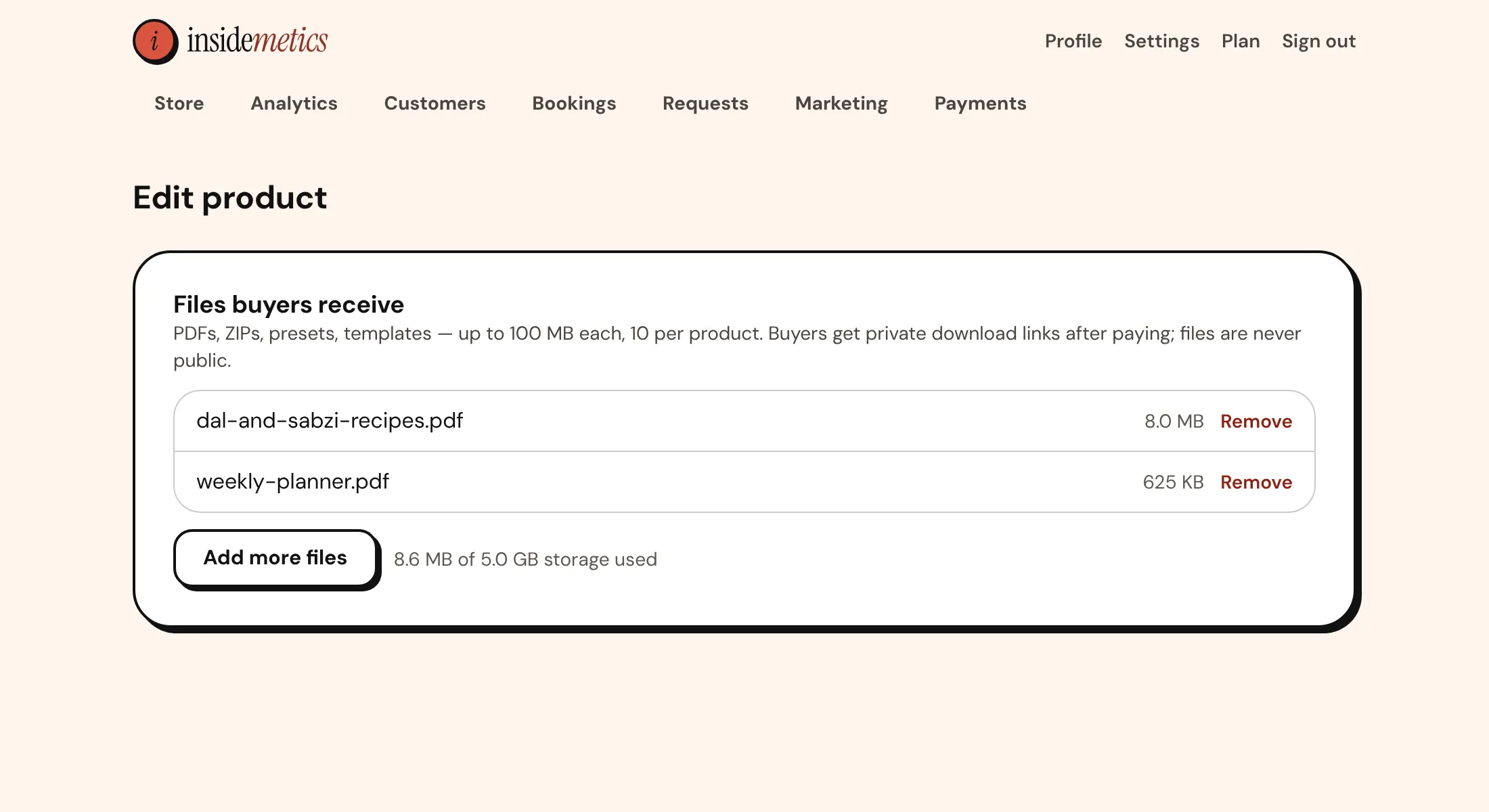
- Compress images first. Under 10 MB downloads fast on mobile data; the limit is 25 MB per product.
- Add a cover page, a contents page, and your name and store link at the end.
- Check every link inside the PDF opens correctly before you upload.
Step 2: Add it as a product
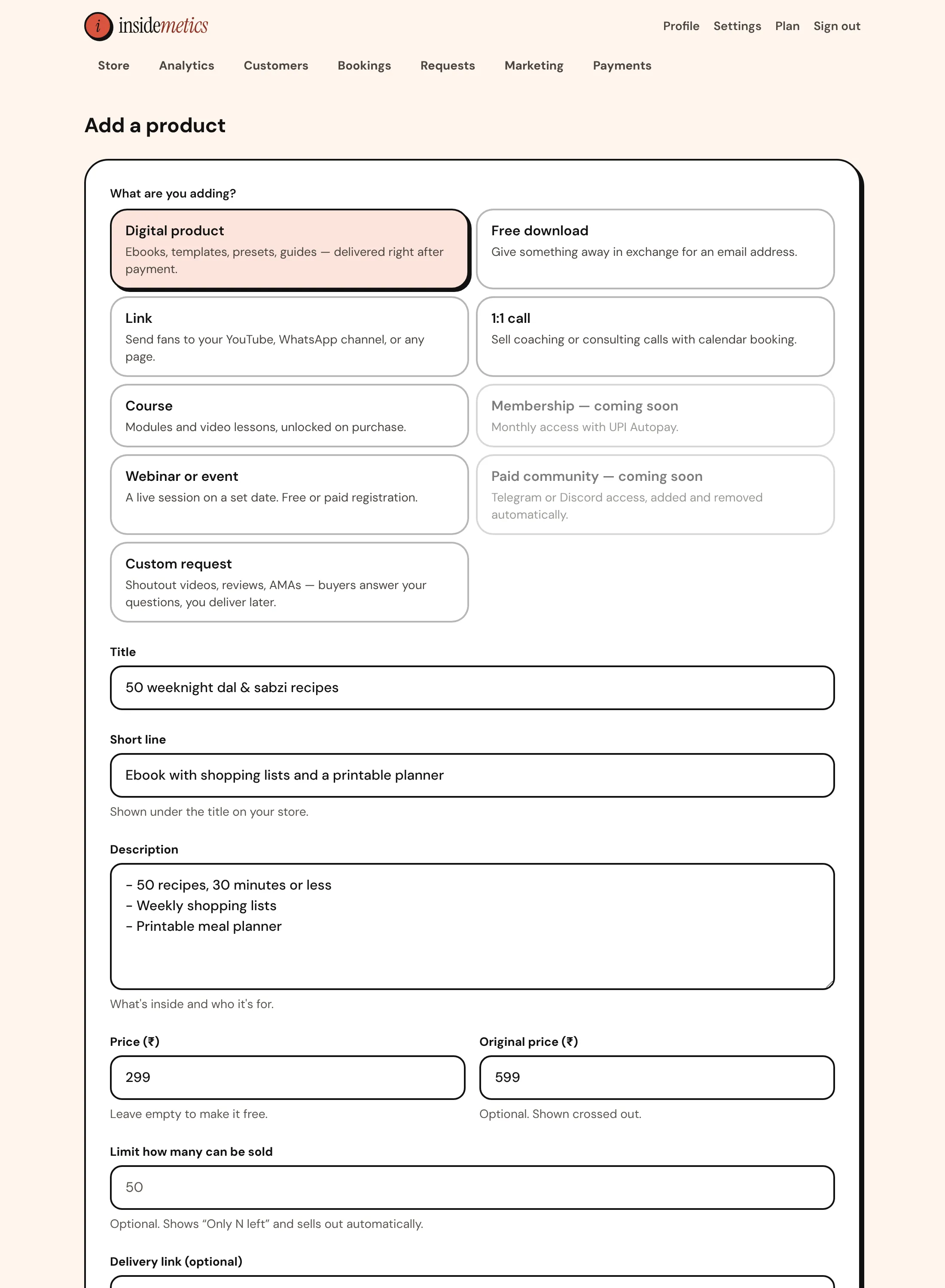
- In your dashboard, click Add product and pick Digital product.
- Write a title that says the result (“30-Day Home Workout Plan”, not “Fitness PDF”) and a short line under it.
- List what's inside in the description: pages, chapters, bonuses.
- Set the price, and a higher “regular price” if you're running a launch offer.
- Choose the PDF in the Delivery step, leave “Show on my store” on, and click Add product.
Step 3: Connect Razorpay for UPI payments
Open Payments and click Connect with Razorpay. Once your Razorpay account has passed KYC, buyers can pay by UPI, cards or netbanking, and the money settles to your bank account, on Razorpay's standard cycle two working days after the payment.
| Amount | |
|---|---|
| Buyer pays | ₹499.00 |
| Gateway fee (2%) | − ₹9.98 |
| GST on the fee (18%) | − ₹1.80 |
| Platform commission on Insidemetics | ₹0 |
| You keep | ₹487.22 |
Step 4: How buyers get the PDF
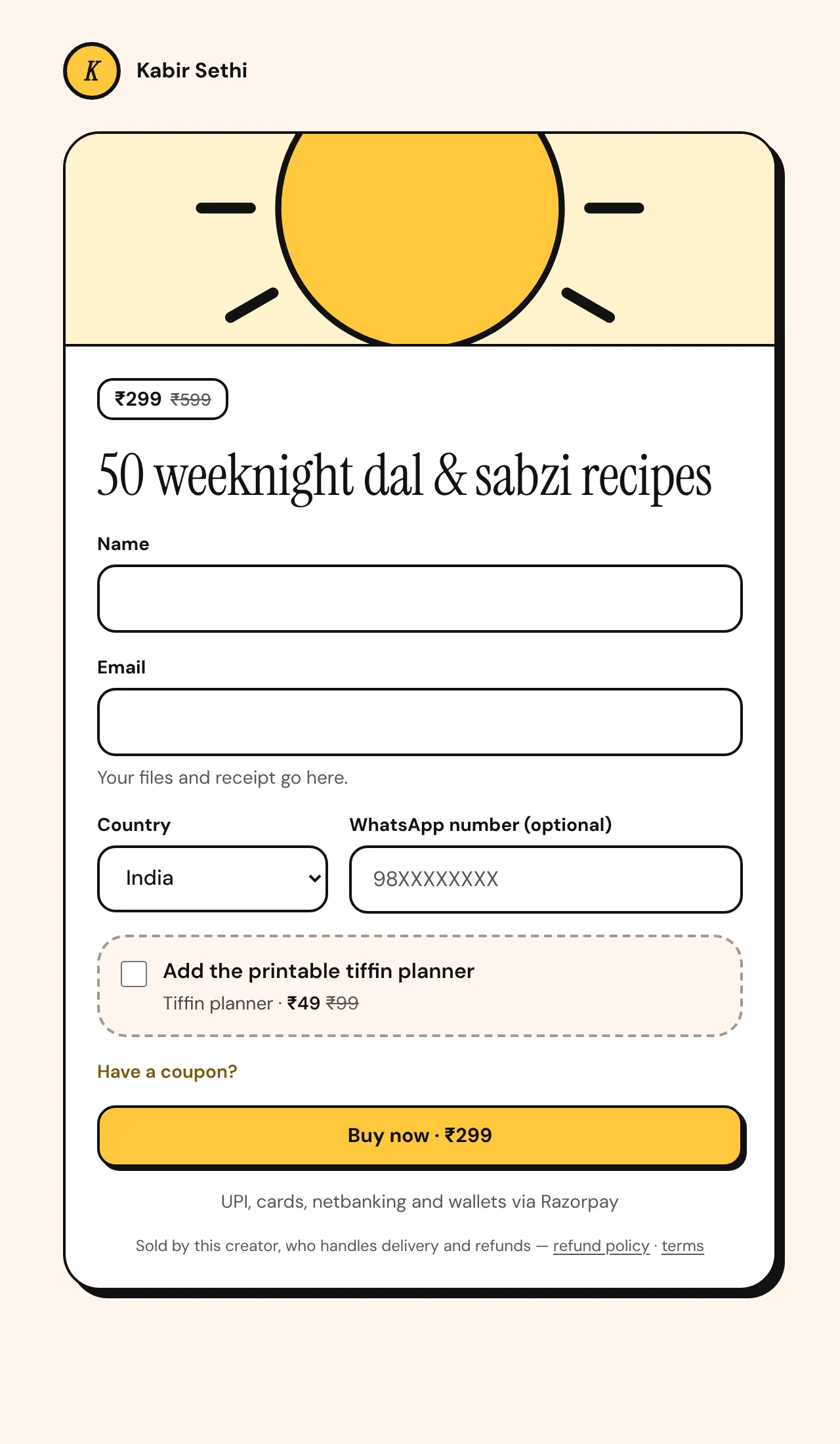
The buyer enters their name and email, pays, and gets private download links on screen and by email. Delivery happens only after Razorpay confirms the payment to our server, not when a browser says “success”. The links expire, so a forwarded email stops working after a while; buyers can always get fresh links from their order page.
Step 5: Share the link
- Put your store link in your Instagram and YouTube bio.
- End posts and reels with one clear reason to tap it.
- Share a free sample page as a free download to build an email list for launches.
- Pin the link in your Telegram channel or WhatsApp community.
Frequently asked questions
What kinds of PDFs can I sell?
Anything you made: guides, ebooks, planners, workbooks, recipe books, study notes, checklists and templates. Don't sell copies of books or material you don't own.
Do I need a website to sell a PDF?
No. Your Insidemetics store is your page; share its link from Instagram, YouTube, Telegram or WhatsApp.
How do buyers download the PDF?
They get private download links on screen and by email right after paying, and can get fresh links later from their order page.
Can I sell more than one PDF in one product?
Yes. Upload several PDFs to one product (up to 25 MB in total) to sell them as a bundle.
Parth Garg · Founder, Insidemetics
Parth is building Insidemetics, a link-in-bio creator store where buyers pay straight into the creator's own PayPal or Razorpay account and the platform takes 0% of sales. He writes these guides from what he learns building checkout, delivery and billing for creators.
Sources (checked October 2026)