How to Sell Canva Templates Online in India
Make Canva templates that are allowed to sell, deliver them as template links, price them in rupees and sell them from your Instagram bio with UPI checkout.
PParth Garg· Founder, Insidemetics · Updated · 3 min read
In short
- Canva allows selling original templates. If they use any Pro content, deliver them only as Canva template links, not as PDFs or image files.
- Templates made only from Free content and your own uploads can also be sold as PDFs.
- Sell a template link as a digital product: buyers see it only after paying.
- Small businesses, coaches and creators buy ready-to-edit posts, stories, menus and price lists.
Small businesses, coaches and other creators would rather pay ₹299 for a ready-made pack of Instagram posts than spend a weekend designing them. If you're good with Canva, that's a product. This guide covers what Canva's licence allows, how to deliver templates, what to charge and how to sell them in India.
What Canva allows you to sell
Canva's help centre (checked October 2026) explains the rules for selling templates. In short:
| You want to sell | Allowed? |
|---|---|
| An original template, shared as a Canva template link | Yes, even if it uses Pro content |
| A template with Pro content, as a PDF or image file | No |
| A template made only from Free content and your own photos, as a PDF | Yes |
| A Canva element, photo or graphic on its own, or barely changed | No |
What kind of templates sell
- Instagram post and carousel packs for a niche: salons, cafés, fitness coaches, real estate agents, boutiques.
- Story templates: offers, testimonials layouts (with placeholders), countdowns, Q&A.
- Price lists, menus and service cards for local businesses.
- Planners and trackers creators can personalise and sell on themselves (check your licence wording if you allow resale).
- Resume and portfolio templates for students.
Step 1: Build the template pack
- Design for one type of buyer. “30 posts for home bakers” sells better than “100 general Instagram posts”.
- Use placeholders buyers can swap easily: their logo, photos, colours and text.
- Create one design with all the pages, so buyers get the whole pack from one link.
- Share it as a template link from Canva's Share menu, then open the link from another account to check it works.
- Make a preview: a few mockups or a short screen recording of you editing one template.
Step 2: Price it
Template packs commonly sell between ₹199 and ₹999 depending on size and niche. Price by the time you save the buyer: a business that would pay a designer ₹5,000 a month will happily pay ₹499 for a month of posts. Start with a launch price and a struck-through regular price.
Free toolSee what you keep at your price after payment fees.Step 3: Sell the template link as a digital product
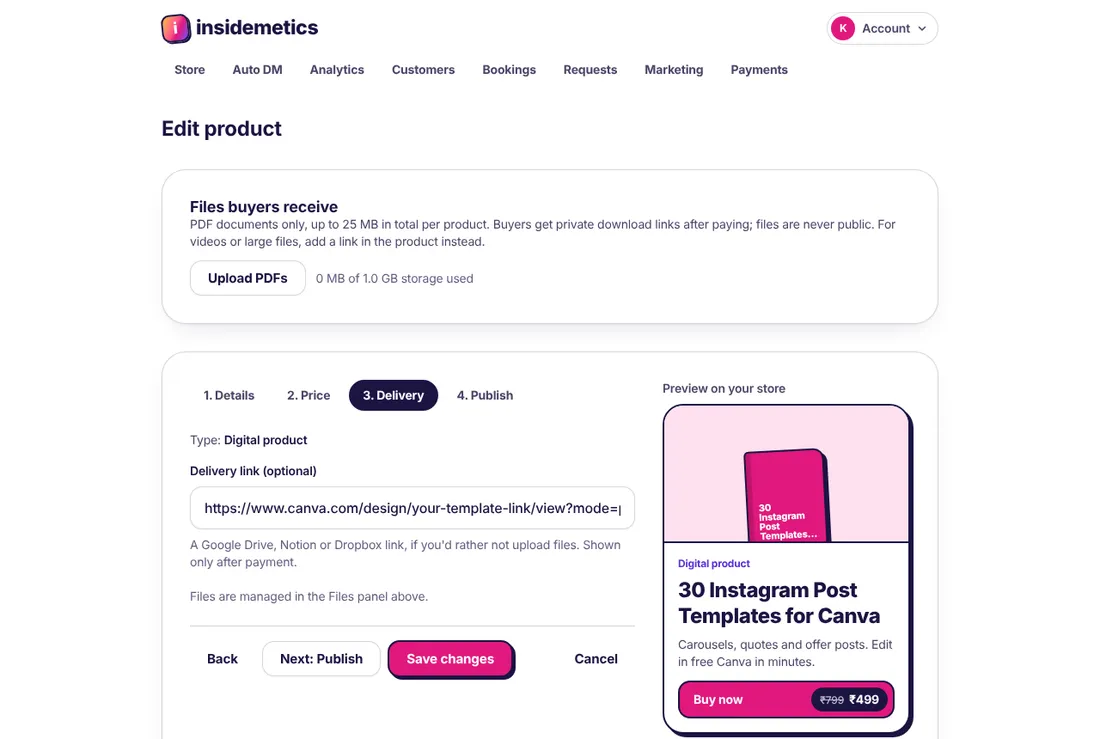
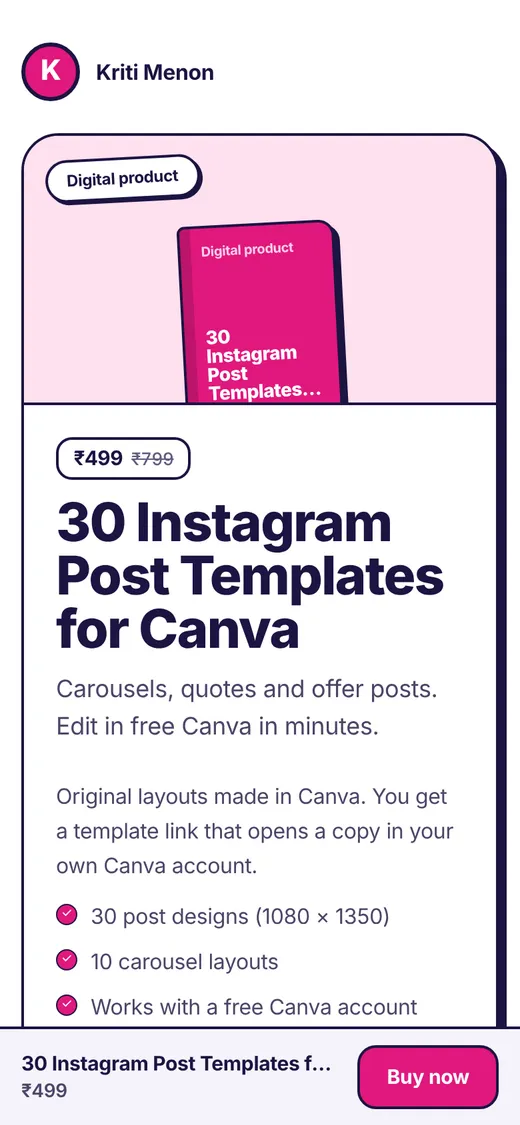
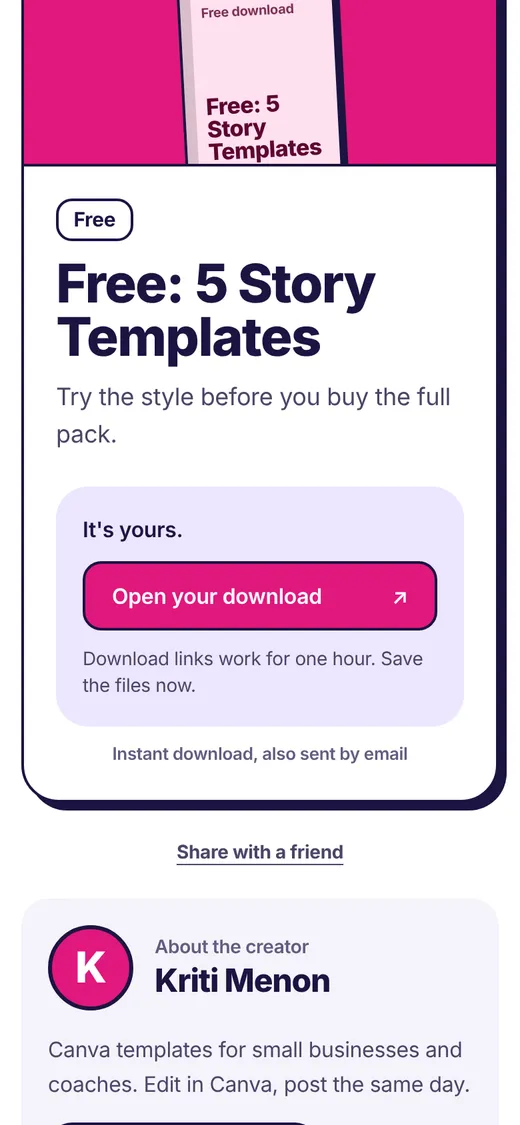
Add a digital product and paste your Canva template link as the delivery link. Buyers only see it after paying, on the order page and in their email receipt. Add a free mini-pack as a free download so people can try your style first.
Step 4: Find buyers
- Post before-and-after reels: a plain post turned into your template in 30 seconds.
- Use comment-to-DM: “Comment TEMPLATE for 5 free story templates.”
- DM local businesses in your niche with a free sample made for them, without spamming.
- Offer a custom version as a paid service for buyers who want it done for them.
Frequently asked questions
Is it legal to sell Canva templates?
Yes, if the design is your original work and you follow Canva's licence: share templates that use Pro content only as template links, and don't sell Canva elements on their own.
Do buyers need Canva Pro?
Only if your template uses Pro content. If you design with Free content only, say “works with free Canva” on your product page; it's a selling point.
Can I sell Canva templates as a PDF?
Only if the template uses Free content and your own uploads only. Templates with any Pro content must be shared as Canva template links.
How do buyers get the template?
After paying, they see the template link on the order page and in their email. Clicking it opens a copy in their own Canva account.
Parth Garg · Founder, Insidemetics
Parth is building Insidemetics, a link-in-bio creator store where buyers pay straight into the creator's own PayPal or Razorpay account and the platform takes 0% of sales. He writes these guides from what he learns building checkout, delivery and billing for creators.
Sources (checked October 2026)