Link in Bio Store for Instagram Creators in India: How to Make It Sell
Turn your Instagram link in bio into a store that sells digital products, courses and calls: what to feature, how to take UPI payments on the page, and how to drive clicks from reels and stories.
PParth Garg· Founder, Insidemetics · Updated · 3 min read
In short
- A link in bio that sells features one offer first, then lists everything else.
- Checkout should happen on the page, by UPI, without creating an account.
- Every reel and story should point at one specific product.
- Use your store analytics to move the best converter to the top.
Instagram lets you add up to five links to your profile, but most visitors tap the first one and decide within seconds. The page behind that link decides whether a follower becomes a buyer. Here's how to set it up for an Indian audience.
Links page vs. store: what's the difference?
| List of links | Link-in-bio store | |
|---|---|---|
| What visitors see | Buttons to other sites | Your products with prices |
| Paying | Sent elsewhere, often with sign-up | Checkout on the page, by UPI |
| After purchase | Depends on each site | Instant delivery by email |
| What you learn | Clicks | Views, buyers, revenue, sources |
1. Feature one offer
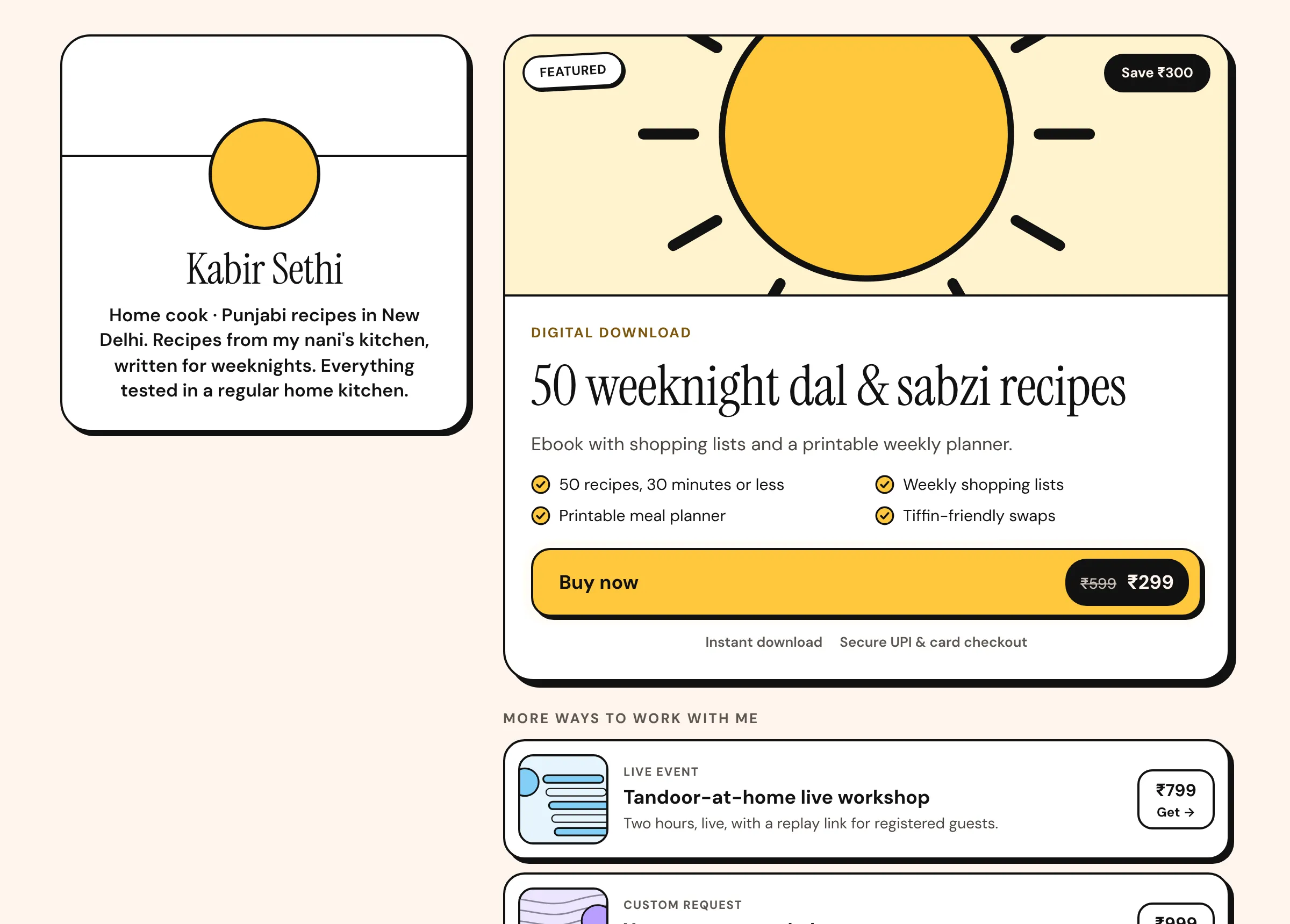
Put your best seller (or newest launch) at the top with a clear result, a short checklist of what's included and a big price button. Everything else goes below as a scannable list. A single obvious next step beats a menu.
2. Add a free download
Most visitors aren't ready to buy on the first visit. A free guide or checklist in exchange for an email lets them start small, and gives you a way to follow up when you launch. It also gives you something to mention in every post without hard selling.
3. Make paying effortless
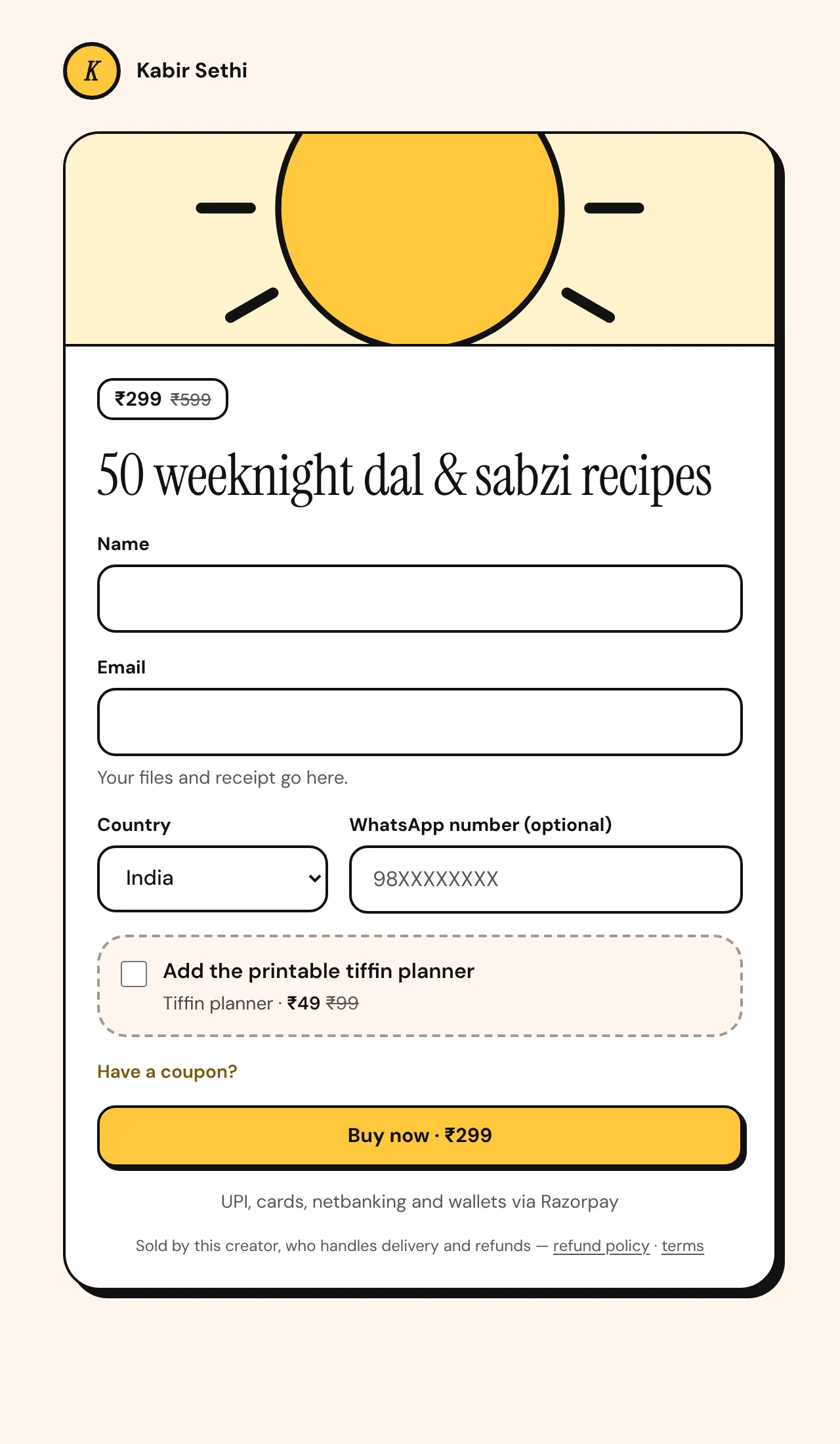
- Checkout on the same page — no extra sites, no account creation.
- UPI first, with cards and netbanking as options.
- Ask only for name and email (and phone if you really need it).
- Show what happens next: 'Your files and receipt go here.'
4. Point every post at one product
- End reels with one specific call to action: 'The full routine is in the 21-day guide — link in bio.'
- Use story link stickers to send people straight to the product page, not the store front.
- Pin a highlight showing what's inside, and buyer reactions (with permission).
- Repeat your best-performing offer. Followers need to see it several times.
5. Show real proof
Ask early buyers for a short review and show it on your store. Never invent reviews or numbers — it's misleading, it can break consumer protection rules, and buyers notice.
6. Watch what converts
Check which products get views, which get sales, and which sources (Instagram, YouTube, WhatsApp) send buyers. Move the best converter to the top and make more content about it.
Free toolTurn your link clicks into a sales forecast.Parth Garg · Founder, Insidemetics
Parth is building Insidemetics, a creator store for India where buyers pay by UPI straight into the creator's own Razorpay account and the platform takes 0% of sales. He writes these guides from what he learns building checkout, delivery and billing for creators.
Sources (checked October 2026)